
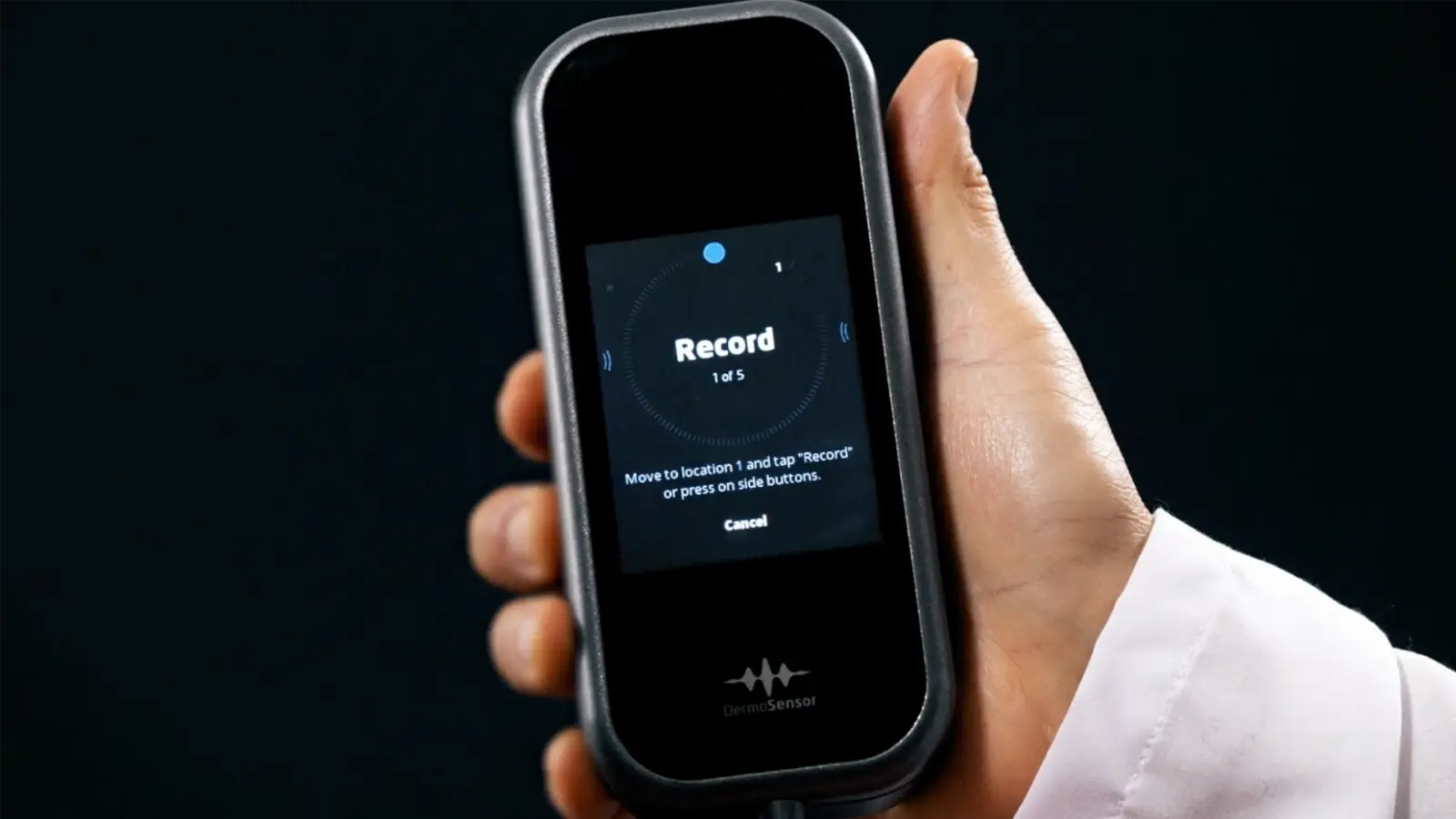
Following the physician’s visual assessment, the device provides an objective assessment to help inform the clinical decision about whether the lesion should be investigated further.
Using DermaSensor in a practice: what it involves day to day
Most questions about using DermaSensor in a practice are not really about the device itself. They are about the day-to-day. Who uses it, when in the appointment to use it, whether a room has to be freed up, what goes in the chart, and how often any of this is going to come up.
This article answers those questions. If you want the device process itself, the three steps, tip placement, what each result means, this can be found on the DermaSensor workflow page. This one is about what changes in the practice that uses it.

Key takeaways: using DermaSensor in your practice
-
Within the existing visit
The assessment happens during an appointment the patient is already attending. No separate visit and no room change.
-
Used by the assessing physician
The physician who assessed the lesion is normally the person who uses the device, because the two are part of the same clinical judgment.
-
No room or capital outlay
No procedure room setup and no up-front capital expense.
-
No training courses
No training seminars or courses needed, just reading the device Instructions for Use.
- In a 12 month clinical registry at a two-physician primary care practice, 125 lesions were assessed with the device, an average of about 10 a month.*
- DermaSensor is indicated for use by physicians who are not dermatologists, in patients aged 40 and above, to assist in the decision to refer the patient to a dermatologist.1
*Results reflect a single-practice clinical registry and should not be interpreted as outcomes that will occur in every practice.
When is DermaSensor used during a patient visit?
DermaSensor is often used towards the end of a patient visit, because that is usually when skin concerns get raised. A patient mentions a spot or adds a lesion concern on the intake form or a physician notices one during the exam. When a patient raises a skin concern during a visit, the clinician must decide whether the lesion warrants further investigation or referral based on clinical judgment. DermaSensor provides an objective result at the point of care, giving providers additional information to help inform that decision before the patient leaves the office.

Who uses DermaSensor in a practice?
DermaSensor is used by the physician evaluating the suspicious lesion.
Support staff can help with the routine tasks that keep DermaSensor ready for use, including charging the device, cleaning it between patients, and maintaining its Wi-Fi connection for data synchronization with DermaSensor’s cloud-based server.
For more detail on who is permitted to operate the device, see the FAQs on the DermaSensor workflow page.
DermaSensor workflow FAQsWhat does using DermaSensor in a practice change, and what does it not?
Less than you might think. DermaSensor is designed to fit into the clinical workflow rather than change it. It adds objective information to a skin lesion assessment the clinician is already making, helping inform the next-step decision.
What does not change: There is no need for a dedicated room, consumables, anesthetic, or up-front capital investment. Nothing is removed from the patient, so there is no specimen to label, log, or send to a lab. The assessment is performed at the point of care, allowing DermaSensor to be incorporated into the existing visit workflow.
What does change: clinicians have additional objective results at the point of care to help inform the next step, whether to investigate the lesion further or monitor it.

How do DermaSensor results change what happens after the visit?
-
Spectral score and PPV
In the DERM-SUCCESS pivotal study, the positive predictive value for malignancy rose with the spectral score. The study supports an association between higher spectral scores and higher PPV. The authors say higher scores indicate greater spectral similarity to malignant lesions, while the device is intended to help inform decisions about lesions needing further evaluation versus monitoring.2
-
More skin cancers identified for referral
In the companion multi-reader multi-case clinical utility study, primary care physicians identified more skin cancers for referral when aided by the device than when unaided. Management sensitivity increased significantly from 82.0% to 91.4% (p=0.003) with device output, so missed cancers decreased by half from 18.0% to 8.6%.3
-
The physician stays in the decision
None of that removes the physician from the decision. The FDA De Novo decision summary states that the device is not intended to replace clinical decision making, and the result is considered with the totality of clinically relevant information.1
What does a practice record after a DermaSensor assessment?
After a DermaSensor assessment, the practice can access the Device Result Report in the DermaSensor Portal and complete relevant information for the patient record. The practice can:
- Add the Patient ID or initials to associate the report with the appropriate patient.
- Document the body location of the assessed lesion.
- Add relevant patient risk factors to the report.
- Review the DermaSensor result, including Monitor or Investigate Further and the spectral score, when applicable.
- Save the completed report to the patient’s medical record by printing it for the physical chart or saving it as a PDF and uploading it to the practice’s EMR.
Important: Patient-identifying information entered into the report is not stored in the DermaSensor Portal or on DermaSensor servers. To retain this information, the completed report must be printed or saved as a PDF and uploaded to the patient’s EMR.
How often does a primary care practice use DermaSensor?
DermaSensor use varies by practice. Here is a reference point rather than a figure. In the Montgomery Medical clinical registry, a two-physician practice in Pennsylvania assessed 125 lesions with the device across 12 months, which is roughly 10 a month, or around five per physician.* The full registry findings, including the change in diagnoses and referrals, are on the DermaSensor real-world results page.
That figure is from one practice and patient mix varies, so it should be read as a reference point rather than a forecast. It is useful mainly for setting expectations internally.
*Results reflect a single-practice clinical registry and should not be interpreted as outcomes that will occur in every practice.

Can a skin check prompt be added to the patient intake form?
Adding a skin check prompt is one of the simplest, most cost-effective changes a practice can make. A single question on the intake form can bring a patient’s skin concern into the conversation at the beginning of the visit rather than as they are walking out the door.
A straightforward question such as, “Is there a mole or spot you would like the doctor to look at today?” can help identify concerns patients may otherwise forget to mention. This can be especially useful during routine visits.
A lesion identified through the intake form should be evaluated the same way as one raised during the visit. The physician performs a clinical assessment and uses the DermaSensor device only when the physician has identified the lesion as suspicious for skin cancer and determined that use of the device is appropriate.
DermaSensor is not intended to be used as a screening tool.1

What does a practice need to have in place before using DermaSensor?

Set up, charge and connect to Wi-Fi
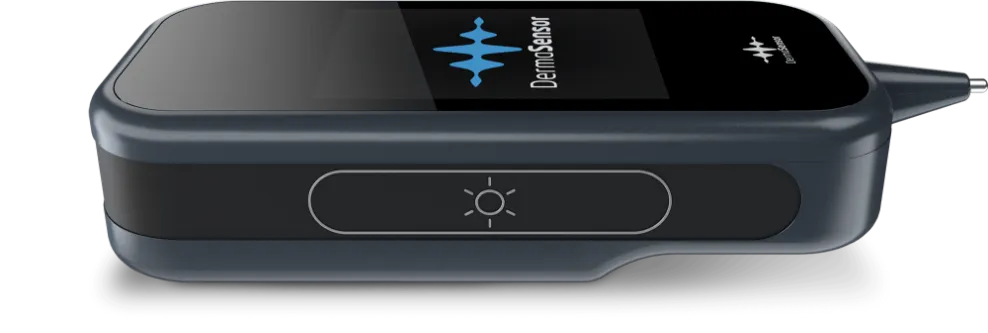
Plug in the Base, place the Handheld Unit in the Base with the probe tip down, and make sure the white light indicates it is charging. Power on the Handheld Unit and connect it to the practice’s 2.4 GHz Wi-Fi network.

Log in to the Portal and pair the device
Activate your account from the DermaSensor activation email, create your password, and log in to the Portal. In the Portal, select Devices → Pair To Subscription. On the Handheld Unit, select Register Device, then enter the 6-digit registration code into the Portal.
Confirm you’re ready for onboarding
Add any additional device users and permissions, then make sure the device is charged and connected to Wi-Fi before the onboarding session. A white Wi-Fi icon confirms the connection.
A simple DermaSensor Device Set-Up Guide is included with your device delivery and provides step-by-step instructions to get your device ready for onboarding.
Built for everyday clinical practice
Request a 30 minute demo to see where the DermaSensor device sits in a primary care visit, who operates it, and what the results look like at the point of care.
What support does a practice get when it starts using DermaSensor?

Simple, guided onboarding
Clinicians receive guided onboarding on how to use DermaSensor, understand device results, and incorporate the device into patient care and existing clinical workflows.

Clinical training and resources
Practices receive resources covering proper device use, including tip placement and result interpretation, to help clinicians use DermaSensor appropriately and incorporate results into clinical decision-making.

Practice implementation support
Our team helps practices get up and running, with support for device setup, workflow integration, user access, and operational questions.

Ongoing customer and technical support
Support continues after onboarding with technical assistance, device updates, and educational resources to help practices use DermaSensor effectively over time.

Complimentary reimbursement support
We also offer free third-party reimbursement support to help practices navigate reimbursement questions and processes associated with DermaSensor. Reimbursement support

FAQs about fitting DermaSensor into a practice
Can DermaSensor be used during a visit booked for something else?
Yes. DermaSensor is used within the appointment the patient is already attending. The physician would first visually assess the lesion, then use the DermaSensor device on it, and would then receive an objective result at the point of care, so the next step can be discussed before the patient leaves.
Does a practice need a procedure room or extra staff to use DermaSensor?
No. The DermaSensor device requires no procedure room setup and no up-front capital expense. The assessment happens in the exam room during the visit, and clinical staff support only routine tasks such as charging, cleaning and keeping the device connected.
How many lesions does a primary care practice typically assess with DermaSensor in a month?
In a 12 month clinical registry at a two-physician practice in Pennsylvania, 125 lesions were assessed with the device, an average of about 10 a month. That reflects one practice and one patient mix, so it is a reference point rather than a forecast.
Does using DermaSensor create a follow-up appointment?
Not in itself. The assessment and the result both happen inside the original visit. Whether a patient is asked to come back, or is referred, is a clinical decision the physician makes using the result alongside the rest of the assessment.1
Where does a practice record a DermaSensor result?
Alongside the clinical description of the lesion in the patient record, in the same place the visual assessment is documented. The record normally includes the device result and, where an Investigate Further result is returned, the spectral score.
What does a practice need in place before using DermaSensor for the first time?
A charged device connected to Wi-Fi, the Instructions for Use read by every physician who will use it, an agreed owner for the step within the visit, and an agreed referral pathway for higher-score results. There are no training seminars or courses needed.
Indications for Use
The DermaSensor device is indicated for evaluating skin lesions suggestive of melanoma, basal cell carcinoma, and/or squamous cell carcinoma in patients aged 40 and above, to assist in the decision to refer the patient to a dermatologist. The DermaSensor device should be used in conjunction with the totality of clinically relevant information from the clinical assessment, including visual analysis of the lesion, by physicians who are not dermatologists. The device should be used on lesions already assessed as suspicious for skin cancer and not as a screening tool. The device should not be used as the sole diagnostic criterion nor to confirm clinical diagnosis of skin cancer.
References
- U.S. Food and Drug Administration. De Novo Classification Request: DermaSensor (DEN230008), Decision Summary. January 12, 2024. Available at: https://www.accessdata.fda.gov/cdrh_docs/reviews/DEN230008.pdf
- Merry SP, Croghan IT, Dukes KA, McCormick BC, Considine GT, Duvall MJ, Thompson CT, Leffell DJ. Primary Care Physician Use of Elastic Scattering Spectroscopy on Skin Lesions Suggestive of Skin Cancer. Journal of Primary Care & Community Health. 2025;16:21501319251344423. doi:10.1177/21501319251344423. Available at: https://doi.org/10.1177/21501319251344423
- Ferris LK, Jaklitsch E, Seiverling EV, Agresta T, Cyr P, Caines L, Wang N, Siegel DM. DERM-SUCCESS FDA Pivotal Study: A Multi-Reader Multi-Case Evaluation of Primary Care Physicians’ Skin Cancer Detection Using AI-Enabled Elastic Scattering Spectroscopy. Journal of Primary Care & Community Health. 2025;16:21501319251342106. doi:10.1177/21501319251342106. Available at: https://doi.org/10.1177/21501319251342106
80-0009.32